Agoda Bulk Product Mapping on Single Property Portal
Modified on: 2026-10-16 15:43
As part of our design update, the screenshots are currently being revised.
Overview
Agoda Product Mapping Import enables you to create or update Agoda room and rate-plan mappings for a single property by uploading an XLSX template.
Before importing the file, you can choose whether the system should validate the mappings against the product information currently available on Agoda.
Instructions
Step 1: Open the Import Panel
- Navigate to the target property.
- Go to Channel > Agoda > Channel Mapping.
- Click More > Import to download product mapping template.
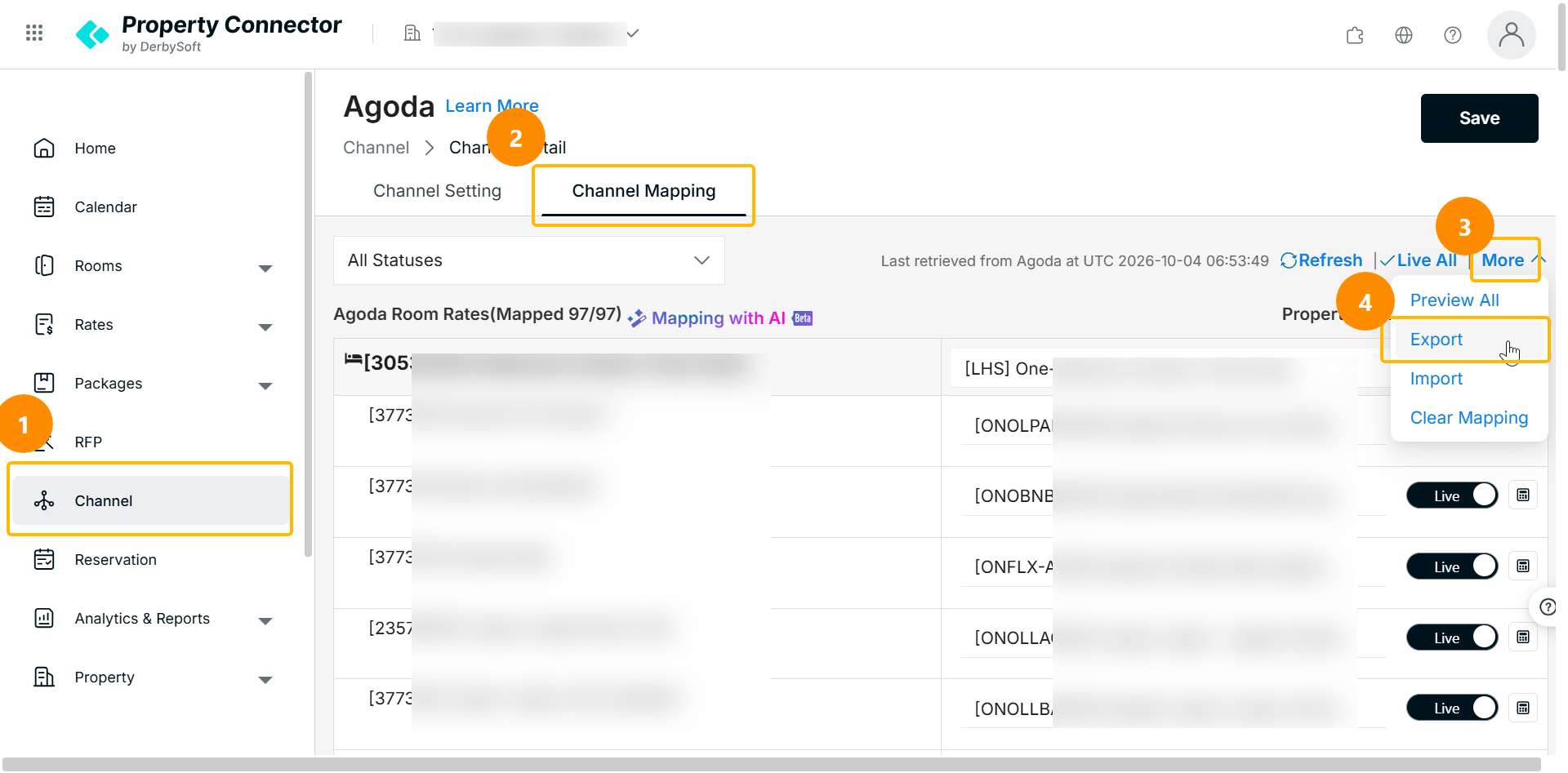
Step 2: Download and Complete the Template
- Download the Agoda product mapping template.
- Enter the required room and rate-plan mappings.
- Save the completed file in XLSX format.
Step 3: Choose a Validation Option
Before uploading the file, choose whether to validate the imported products against Agoda:
When enabled, the system will skip verifying whether the Agoda room rates exist. Please ensure the imported data is valid.
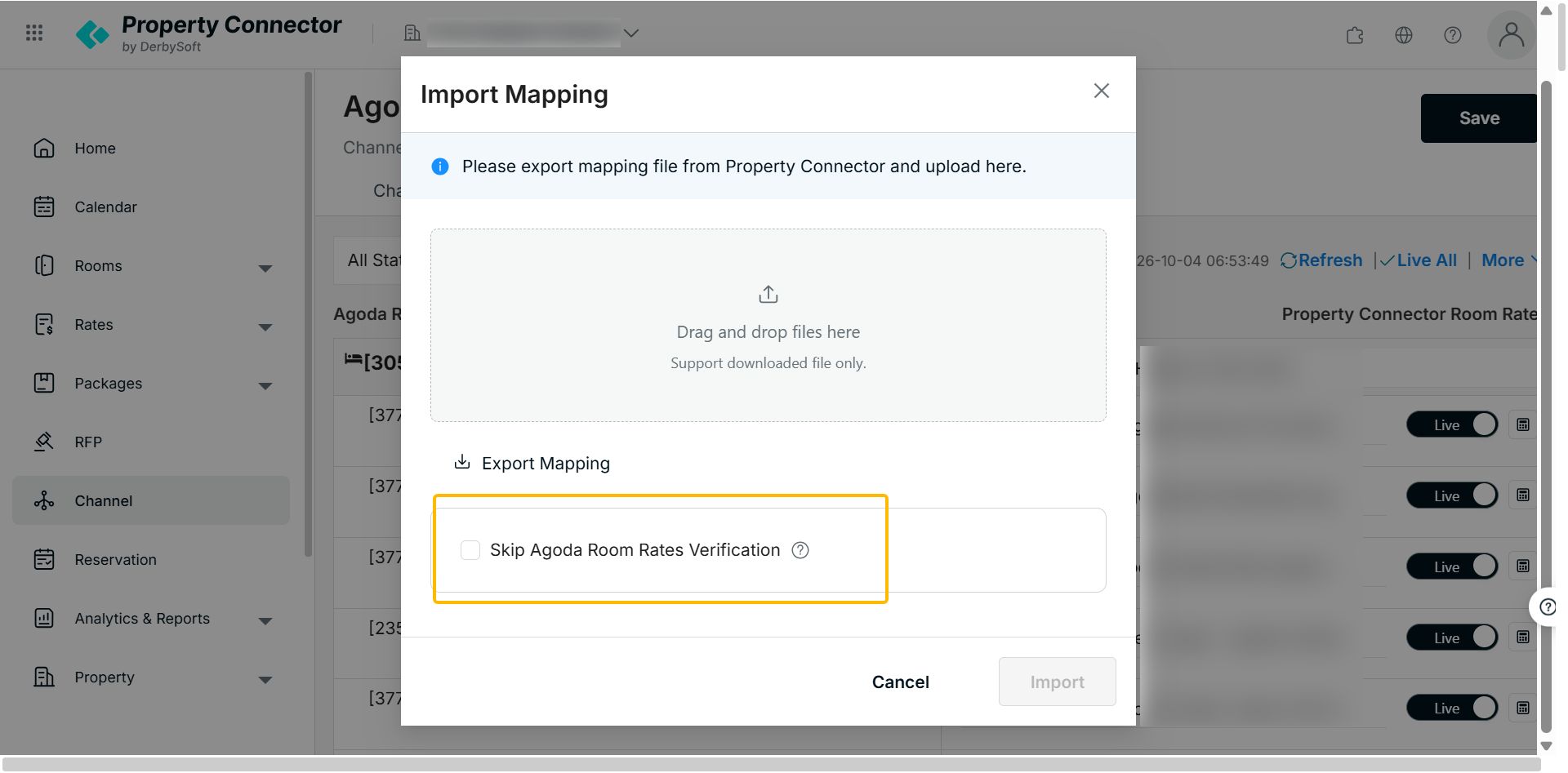
Step 4: Upload and Validate
Upload the completed XLSX template.
- If choosing to skip Agoda validation, the system checks that all required fields are completed.
- If Agoda validation is turned on, the system also verifies that the imported room and rate-plan mappings match the product information available on Agoda.
Step 5: Review the Import Results
After processing is complete, the system displays the successful and failed rows.
Valid mappings are imported and updated. Invalid mappings are not updated, and a failure reason is displayed for each unsuccessful row.
Did you find it helpful? Yes No
Send feedback