Auto Repush Reservations to PMS
Modified on: 2026-09-07 15:51
As part of our design update, the screenshots are currently being revised.
Overview
The Auto Repush Reservations to PMS setting is available at the PMS property channel level under Channel Connection Config.
When this switch is enabled, failed reservation push attempts will be automatically retried in the background. The default retry rule is:
- Retry up to 5 times
- Retry interval: 5 minutes between each attempt
Note: Please note that this feature is only available to Groupon channel
Instruction
- Go to Channel Connection.
- Find the target property channel from the list.
- Click Config in the Action column.
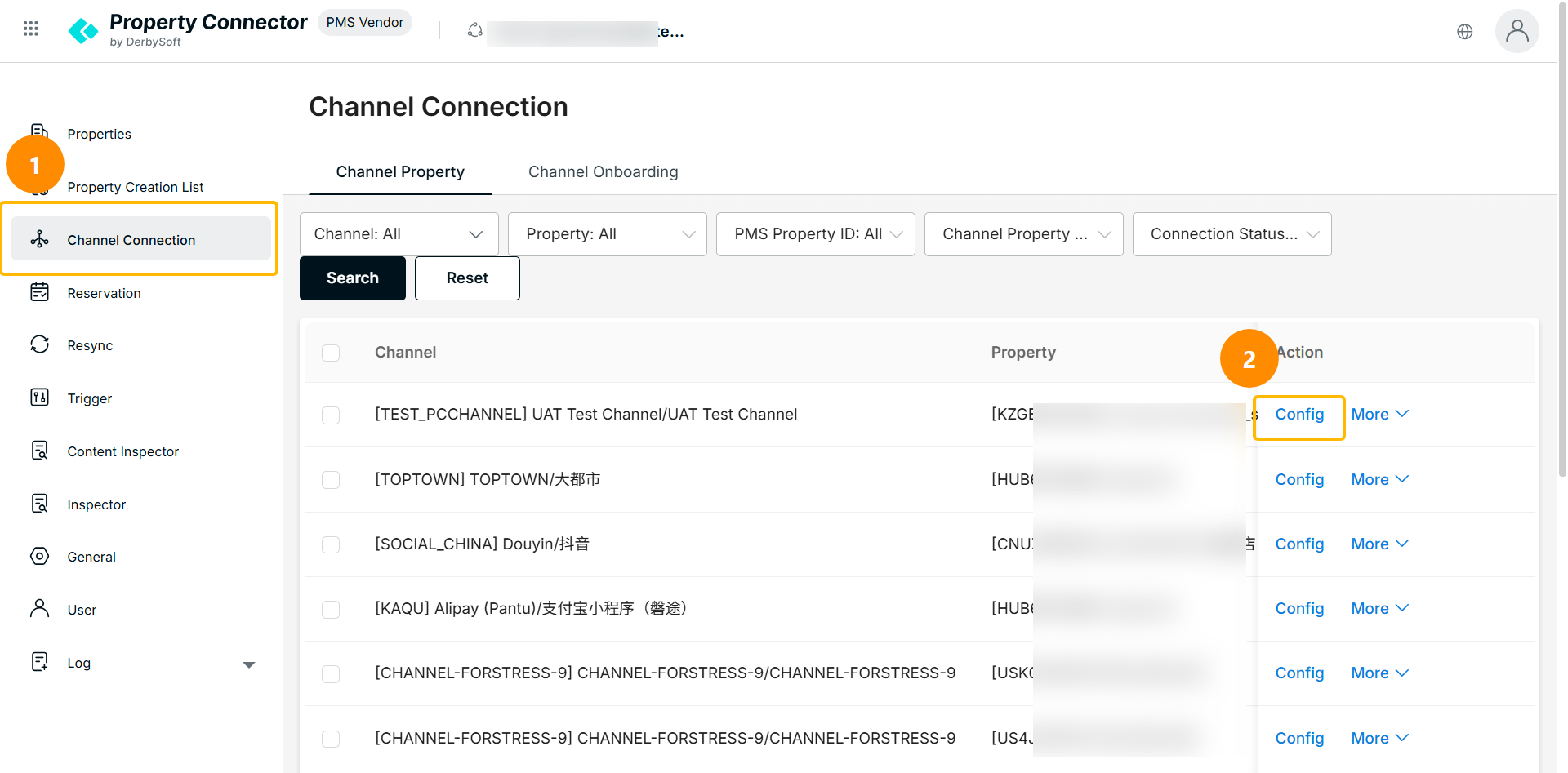
- In the Channel Connection Config panel, locate Auto Repush Reservations to PMS.
- Turn the switch on to enable automatic repush.
- Click Save.
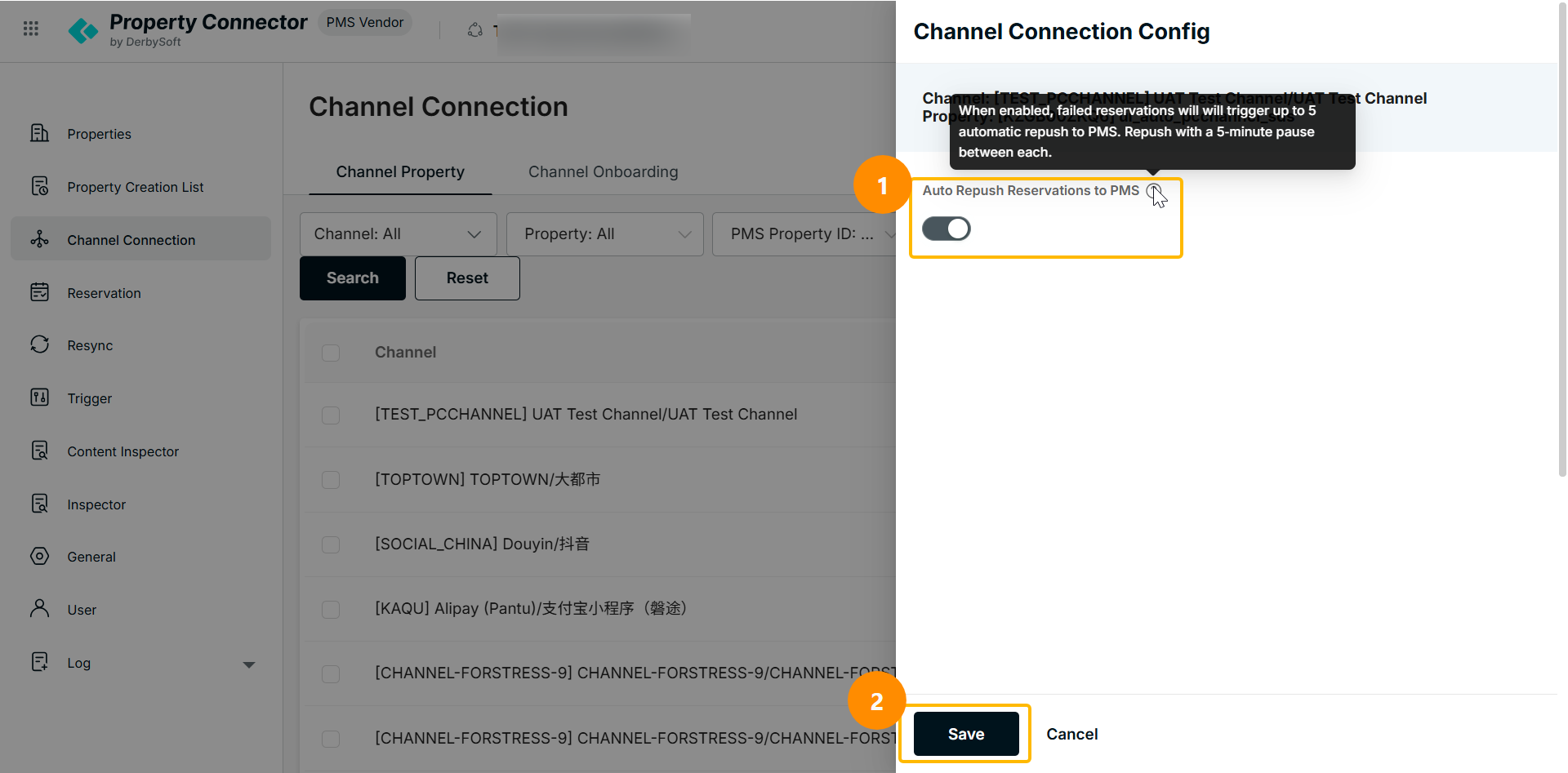
Once enabled, if a reservation fails to push to PMS, the system will automatically retry up to 5 times with a 5-minute pause between each retry.
Did you find it helpful? Yes No
Send feedbackSorry we couldn't be helpful. Help us improve this article with your feedback.